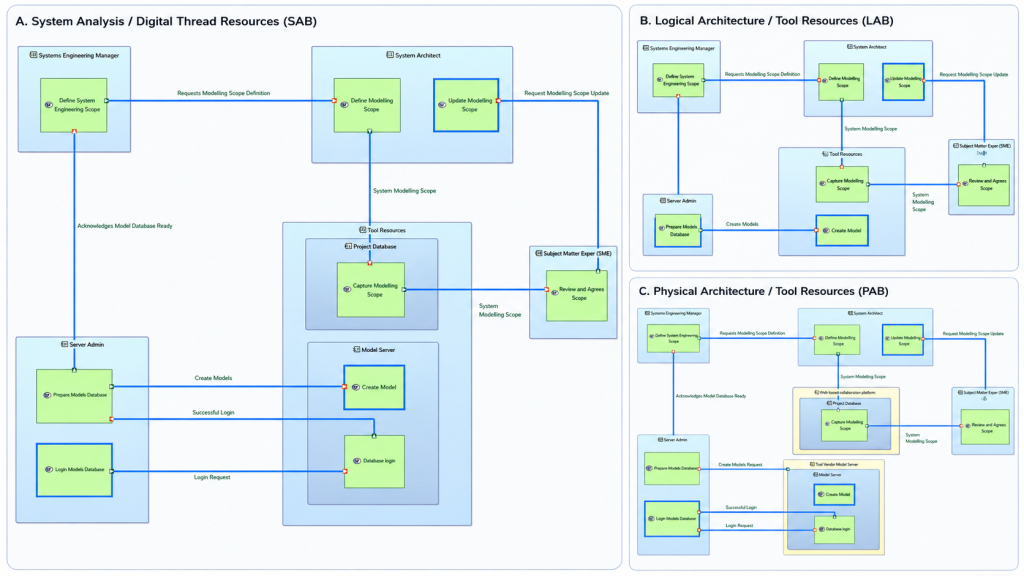
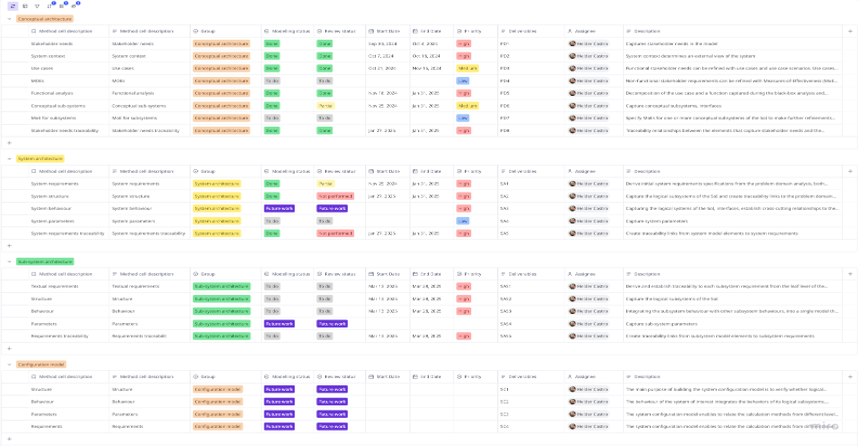
A project or organisation may have different needs to create several Capella models, for example, breakdown a system complexity, hand-over a system or component to a team or supplier.
The Capella System to Subsystem add-on allows transition and creation of new models from a parent model element. The transition extracts relevant model information from a selected Capella model element and creates top-down traceability links. The model of the subsystems is computed from the parent system.
The transition and iterative approach between system and subsystems is a great help for managing several levels of engineering and complexity.
Ideally, subsystems stakeholders are involved in engineering activities at system level before the transition occurs.
Capella provides several options to perform model transition. This article does not intend to elaborate on the different transitions, but on the traceability and relationship between the different model elements, and decisions and ways of working that may need to be considered in advance when working with a federated Capella model environment.
The below figure shows a generic product breakdown structure (PBS) and a Capella model structure when performed several vertical transitions of the correspondent parent model elements.
The Capella model structure presented below focus on part of PBS elements (blue) that will be used on this article. The System-of-Interest (SoI) can be considered as a system of systems.

Capella elements by default don’t have any SID. As soon as, a transition is performed and if:
- The SID of the source element is null, it is initialized with the technical ID of the source element.
- The SID of the source element is not null (i.e., the system is already a sub system, result of a transition or manually defined by the model owner), the SID is kept.
The Capella System to Subsystem described above captures aspect when it is always performed a top-bottom process, the tool creates traceability references between the transitioned model elements and the source model (parent).
As it can be observed in the figure below, model elements ID are unique to each model element, but the SID between two model elements (underlined) shall be the same. That is the reference and traceability reference between model elements in different models.

But what if:
- There is the need to update and add functions, functions exchanges, etc. to the assembly A.1?
- Assembly A.1 has been developed in isolation and in parallel with parent System A?
- After a system to sub-system transition, the Product Breakdown Structure (PBS) has been updated and the traceability links between System A and assembly A.1 need to change?
For the first scenario:
It is highly recommended to work and update, when possible, the physical layer of the System A (parent) and then do the System to sub-system transition.
Update the assembly A.1 diagrams accordingly. Traceability between System A and assembly A.1 is created by the tool.
If the steps above are not able to be performed, then the steps defined for scenario 2 as below, may be followed.
For the second scenario, there is the need to perform several steps:
- Edit and assign manually SIDs for each and all model elements, that is, Functions, Functional Exchanges, Capabilities, etc. defined in the System Analysis of the Sub-system A.1.
- Update and add the new model elements to the physical layer of the System A (parent model).
- Perform a System to Sub-System transition. When the diff/merge window emerges, there should not be any elements in RED on the “Synthesis” left pane. If there are, it means the tool has not been able to identify the same model element against the SID. There is the need to manually review the SIDs and update them before attempting a new transition.
The figure below shows assembly A.1 functions (System Function 1 and 2) where captured initially in the assembly A.1, then added to the System A, assigned user manual SID to assembly A.1 and matched with SID to functions represented in System A.

For the third scenario, it is very similar with the scenario described above with the additional step:
- Delete all Sub-System SIDs for all model elements at System Analysis.
Follow steps as described for scenario 2, but now linking to the new parent system. The work to re-create traceability can be quite laborious.
Conclusion:
Bottom-up approach when working with several Capella models is possible, but the work to create traceability links can be quite significant.
In any of the above scenarios it is always preferable to create a lower model from a parent model even if the parent model is not fully developed. In this case, it should be possible to create a simple thread of functionality and interactions that enables transition to a sub-system model.